01Point of sale
Ring up a sale in seconds
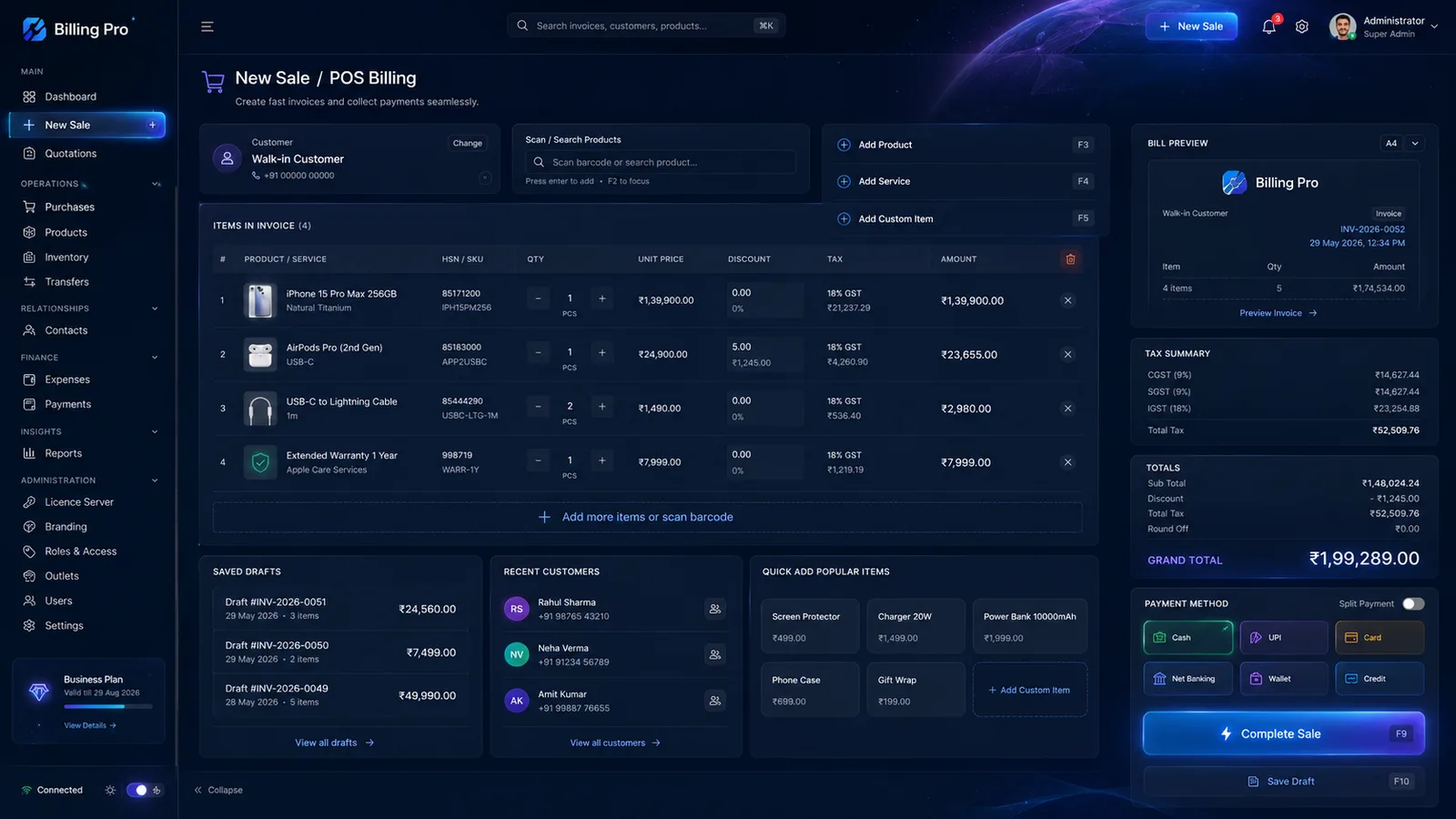
Scan, add, discount and collect — split payments, a live bill preview and F-key shortcuts keep the counter moving.
Explore every featurebilling.pro / point of sale
Create GST invoices, run your POS, and manage inventory from your Windows PC. Your business data stays on your computer, with optional Google Drive backup.
What it does
Billing Pro pulls invoicing, stock, payments and reporting into a single fast console — the a focused offline workspace on your Windows PC, with local and optional Google Drive backups.
Fast GST invoices with automatic CGST/SGST/IGST, HSN/SAC lookup, e-invoice and e-way bill.
Batches, expiry, multi-godown and low-stock alerts, kept in step across every device.
Party ageing, credit limits and automated WhatsApp/SMS reminders that recover your cash.
Keep billing on your Windows PC, then protect it with local backups or optional Google Drive backup.
Inside the software
The screens your day runs on — fast, keyboard-first and the same on every device.
Scan, add, discount and collect — split payments, a live bill preview and F-key shortcuts keep the counter moving.
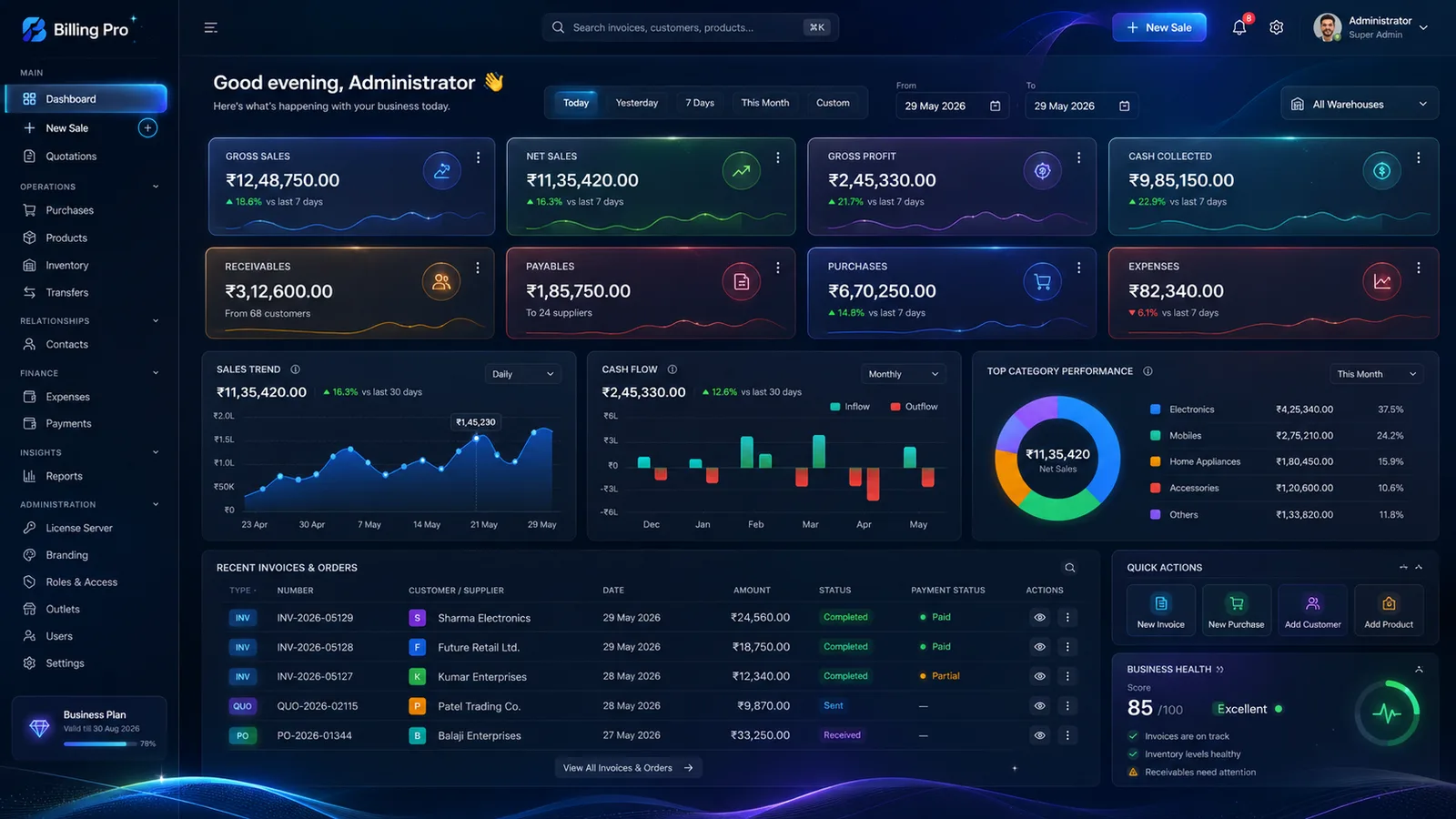
Explore every featureSales, receivables, cash flow and business health, updated the instant you raise a bill.
Explore every featureMulti-warehouse stock, batch and serial tracking, low-stock alerts and transfers — all on your PC.
Explore every feature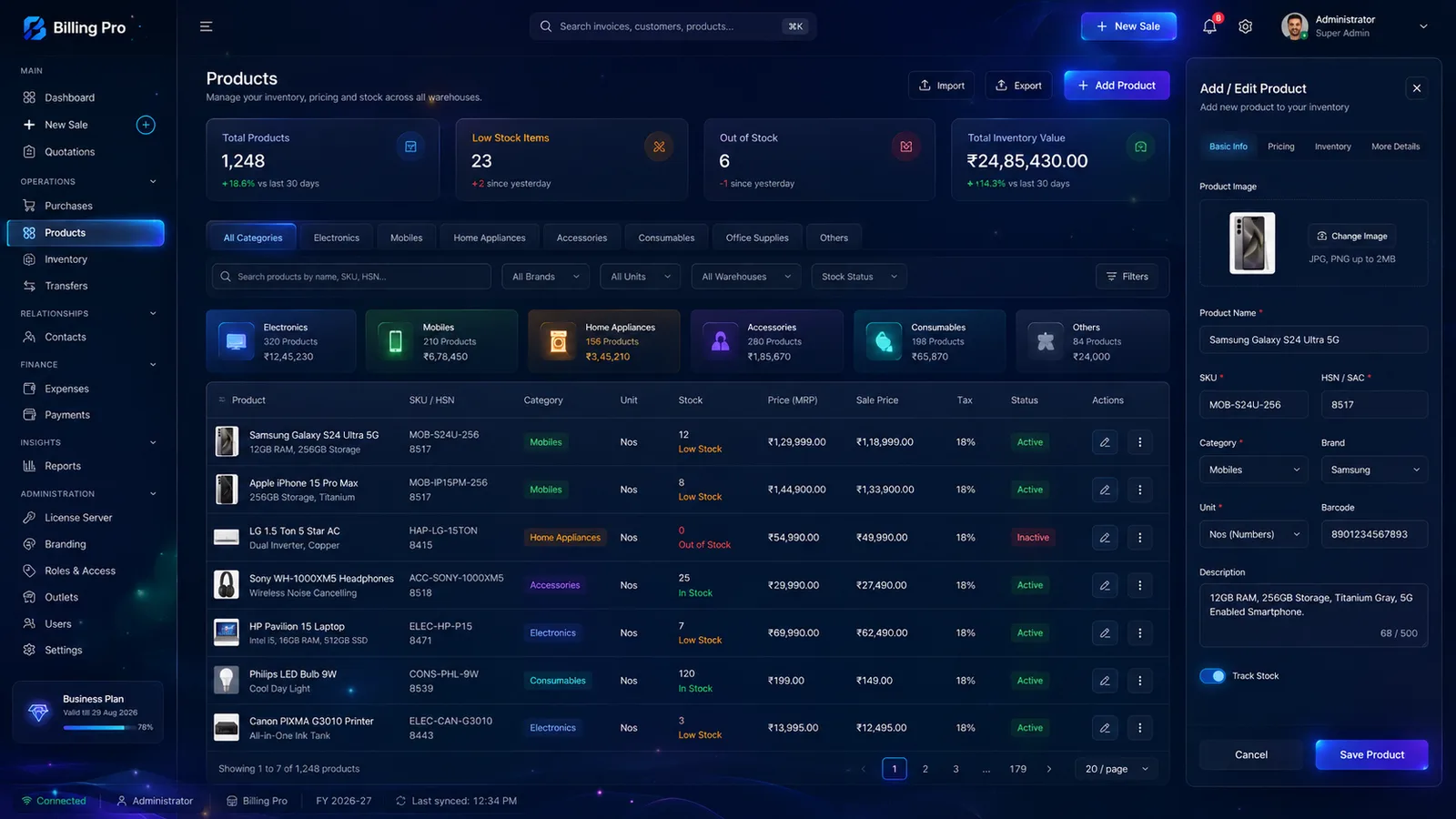
Features
Every tool a growing shop needs — invoicing, compliance, stock, security and collections — under one roof.
CGST, SGST and IGST split automatically with HSN/SAC lookup, on clean invoice themes you can brand as your own.
Your data lives on the counter PC. Billing, stock and reports keep working when the internet does not.
IRN, QR and e-way bill from the invoice screen — no portal hopping.
Live levels, expiry and low-stock alerts, in step across every device.
WhatsApp, SMS and email reminders that recover the cash you are owed.
How it works
A clear, repeatable path from sign-up to a live, growing business.
Buy a lifetime or yearly Billing Pro licence through ott24x7.
Add your items or import a spreadsheet — with prices, tax rates and opening stock.
Ring up your first customer. GST, stock and accounts all update themselves.
Watch sales, stock and receivables on a live dashboard — on any device, anywhere.
Why switch
Replace the spreadsheet, the GST portal hop, and the till that does not talk to stock.
| Capability | Spreadsheets | Accounting suite | Billing Pro |
|---|---|---|---|
| GST invoices with HSN split | No | Yes | Yes |
| Counter POS with barcode & split pay | No | No | Yes |
| Bills when the internet is down | Yes | No | Yes |
| E-invoice & e-way bill from the bill | No | No | Yes |
| Inventory, batches and godowns | No | No | Yes |
| GSTR-1 / 3B summaries | No | Yes | Yes |
| WhatsApp payment reminders | No | No | Yes |
| No cloud account required | No | No | Yes |
Roadmap
GST invoicing, POS, inventory, and recovery tools are built for reliable local work.
IRN, QR code and e-way bill generated from the invoice screen.
One-click GSTR-1 and 3B summaries, ready for your accountant to file.
Protect selected backups in your own Google Drive account.
More export and recovery tools for independent businesses.
Industries
Tuned defaults for the way each kind of shop bills, stocks and files.
Simple pricing
Compare the licence options on ott24x7. Billing Pro keeps your records on your PC.
Questions
Offline Windows software for creating GST invoices, running a POS, tracking stock and keeping your accounts on your own computer.
Yes. Invoices carry HSN/SAC codes and the correct CGST/SGST or IGST split by place of supply, and it produces GSTR-1 and GSTR-3B summaries ready to file. E-invoicing and e-way bills are supported.
Yes. Your data lives on your computer, so billing, stock and reports continue working when the connection is down.
Create local .bpbackup files and optionally connect your own Google Drive for an additional backup destination.
It prints to ordinary A4 laser and inkjet printers and to 2-inch and 3-inch thermal receipt printers. Barcode label sheets print from the Items screen.
Licence support is provided through ott24x7, with product help and recovery guidance for your Billing Pro installation.
Get started
Choose a licence, download the installer, and start billing locally.
Your invoices, stock, and reports stay on your PC. Add local or Google Drive backups when you want extra protection.